Jotform Enterprise FAQ
Got a question about Jotform Enterprise? Get answers here!
General
Is there a minimum user requirement?
The Jotform Enterprise Base Package is the minimum entry point for Jotform Enterprise, and it includes up to 5 Permitted Users. Additional Permitted Users can be purchased in bundles of 5. There is no limit to the number of Permitted Users you can add to your plan.
How do I determine how many users I need?
When determining the number of users, please note that our licensing agreement requires each user to be a unique person with a unique, individual email address. Group aliases such as marketing@company.com are not allowed, and neither is sharing login credentials with other individuals. For IT audit and tracking purposes, each login should be traceable to a unique individual, as a best practice.
For example, with Jotform Enterprise, you may have two Administrators and 18 Users. This is a total of 20 users (aka seats), therefore you would purchase access for each individual. Additionally, each requires a unique username and password.
What is the difference between a Jotform User and Administrator?
A “user” is defined as an individual who has a login to your Jotform Enterprise account to
- Create/edit forms,
- initiate integrations, and/or
- view/edit/analyze submission data directly in the form submission database.
Jotform Enterprise features two user function levels — User and Administrator. You determine if an individual is classified a User or Administrator.
By default, a User can create forms and review form submission data for his or her own forms, only. Users can then share access to one, some, or all of these forms and/or data to one, some or all of the other Users on the same Enterprise Server.
An Administrator manages your Jotform Enterprise account. This can include adding or deleting users, reviewing form performance metrics, and other duties. Additionally, an Administrator can create forms and review form submission data. An Administrator has access to all forms and form submission data created by anyone in your Jotform Enterprise account, unless you have a HIPAA server. In that case, the Administrator has access only to submission data that was explicitly shared with them by the owners of the forms.
Are my customers / employees / visitors who complete a form considered a User?
A customer who completes your online form does not count as a User. Only those individuals who create forms, analyze form submission data or manage your Jotform Enterprise account are considered as Users and/or Administrators.
What is the advantage of a Jotform Enterprise account compared to multiple single-user accounts?
The problem with single user accounts in large organizations is multiple-fold:
With a single-user account, the forms, along with the data collected, technically belongs to the user. If and when this person leaves your organization, the forms and data leave, too. That data should belong to the organization, but with a single-user account, it doesn’t. With Jotform Enterprise, the Administrator can simply assign the seat to another user, ensuring the data stays within your organization.
Additionally, a single-user account is disconnected from other Jotform accounts. This means there is no opportunity to share and collaborate on forms already created, or access to data on other users' accounts.
Every single access to submission data needs to be traceable to a unique individual with his or her own identifiable login credentials, for IT audit purposes. With single user plans, because there is no way to share data, users may elect to share the login credentials, which is a violation of Jotform’s terms of use.
Note that this last item becomes an even larger legal issue as HIPAA regulations dictate that every single access to PHI (Protected Health Information) needs to be traceable to a unique individual with their own identifiable login credentials.
What are the differences between Jotform Enterprise and Standard (Bronze / Silver / Gold) plans?
Our traditional, standard plans (Starter, Bronze, Silver and Gold) are single-user plans that run on shared servers and come with online support, only.
Jotform Enterprise is our only multi-user plan where an Administrator can assign access-level controls to Users and those Users can collaborate with other Users. Plus, it runs on a server dedicated to your organization and comes with a dedicated Enterprise Support Team for help when you need it most.
An overview of the differences can be found in this guide.
Do I need to install any special software?
Jotform Enterprise is a software-as-a-service (SaaS) web-based solution, which means you are not required to install any software on your corporate servers or computer. Only a web browser, such as Chrome, Firefox or Safari is required.
How fast can you set up our account?
From the time you sign our Enterprise Agreement, we are able to set up your server, migrate your existing forms and data (if applicable), and deliver your server credentials to you within one business day.
Can my customers complete their forms on a smartphone or tablet?
Jotform Enterprise forms are dynamic and can work with practically any web browser, smartphone and tablet.
Are there limits to forms, submissions, etc?
Jotform Enterprise has no limits to the number of forms, submissions, form fields, payments, API calls and storage.
Can I accept payments with my forms?
Jotform Enterprise features integrations with major payment processors, such as Stripe, Square, PayPal, Authorize.Net and more.
When you create a payment form, you’ll be directed to input your payment processor login credentials. Once this is completed, you can start accepting online payments.
Additionally, Jotform Enterprise does not charge additional transaction fees. You only need to pay the standard credit card processing fee.
Is a Service Level Agreement (SLA) available?
When you purchase Jotform Enterprise, a service level agreement (SLA) is included as part of the purchase agreement. This agreement includes all the terms and conditions, as well as overall cost. You will need to sign the agreement to start your Jotform Enterprise account.
Can I have my legal department customize/redline the Terms and Conditions/Contract/BAA/DPA type of legal documents?
Yes. Jotform can accommodate change requests in the legal documents, or use your Business Associate Agreement (BAA) or Data Processing Agreement (DPA) forms as a foundation to create an agreement.
My IT group has a list of vendor docs and security questionnaires; are you able to fill them out?
Yes, Jotform’s security team can work with your team to ensure all IT security and legal questions are answered.
Pricing
What is the cost?
Jotform Enterprise pricing is custom, depending on your specific use case and needs. Factors that determine your custom pricing include the number of user seats required, your IT security needs, the type of information you will be collecting and any add-ons your use case requires. Education institutions and nonprofit organizations are eligible for a 30 percent discount, applicable only to user fees. Contact Sales to request your custom pricing.
Can I pay monthly?
A month-to-month payment option is not available for Jotform Enterprise. The fees for the entire Term, as specified in the Agreement, must be paid up front.
Can I add more users halfway through my contract?
Yes, additional Permitted User seats can be purchased at any point throughout the Term and they will be charged on a prorated basis. For example, if you have seven months left on your Term and add five more users, you will be charged for the remaining seven months.
Is Jotform Enterprise eligible for the 30-day money back guarantee?
Due to the costs associated with setting up a Jotform Enterprise account and server, we are unable to provide a trial of the Enterprise platform, and a refund is not available. Prior to purchasing Jotform Enterprise, you will be asked to review and sign an agreement. You are responsible to read the agreement carefully before signing.
Can I use my own domain / custom URL? Can I whitelabel the Jotform Enterprise?
Jotform Enterprise runs in a local data residency center, so you can white label the user experience by using your own custom domain (e.g., forms.yourcompanydomain.com). If needed, Jotform will purchase the SSL certificate on your behalf and install it at no additional cost, so your forms have the secure https:// designation.
Migration to Enterprise
Can I migrate my existing assets and data from my standard Jotform account?
Yes. Migrating your existing forms and data is included in the server setup process.
Admins can initiate a migration from the Admin Console in their organization's Jotform Enterprise account. The standard Jotform account owner will receive a request to authorize the data transfer and can choose to start the migration immediately or schedule it for later.
Alternatively, contact your Account Manager or submit a migration request to the Support team.
Will there be downtime during migration?
No. Migrations involve no downtime, and most are completed instantly. Standard Jotform account owner can schedule migration for a date and time that works the best.
Will submission data be migrated as well?
Yes, submission data will be migrated as well. Once migration is complete, the submission data can be accessed in the Enterprise account. There are some exceptions, such as encrypted forms, draft submissions, and incomplete workflows, so make sure to review those as well.
Can I migrate only selected assets?
No. Migration includes all assets and submission data from your standard Jotform account. If there are any items you do not want to migrate, you must delete them before the migration begins. Each standard Jotform account can be migrated only once.
Will form URLs remain the same?
After migration, all form URLs will be updated to Enterprise URLs. Existing Jotform URLs will continue to work, allowing respondents to access forms using either URL. For example, jotform.com/formID will be updated to {subdomain}.jotform.com/formID. We recommend updating all links to the new Enterprise URL as time permits.
- iFrame and JavaScript embeds will automatically redirect to the new Enterprise URLs.
- Source code embeds will not redirect automatically. The embedded source code must be updated to use the forms in the Enterprise account.
- API URLs will be updated automatically. API URLs will change from https://api.jotform.com to https://{subdomain}.jotform.com/API (with API in all caps).
What happens to migrated assets?
Migrated assets will be disabled in the standard Jotform account’s Workspace. Migrated assets can be viewed or cloned, but can not be edited in their original Jotform Standard account.
After migration, migrated assets are listed in target Enterprise account’s Workspace or target Team Workspace, labelled as “migrated”. Enterprise account owners can share the form with other licensed users, add it to a Team, assign it a Label, or transfer ownership on a non-HIPAA server.
Can encrypted forms be migrated?
Encryption must be disabled before a form can be migrated. Existing encrypted submissions will remain encrypted and can still be accessed using the current access code. After migration, encryption can be re-enabled in the non-HIPAA Enterprise account using the same encryption key
Will I need to reconfigure my integrations again after migration?
In most cases, no. Your integration settings will also be migrated. However, the following integrations require additional steps:
If migrated assets have Dropbox or OneDrive integration, sign back into your connected account in the form’s Settings.
If migrated assets have Zapier or Power Automate integration, replace the trigger and the variables in workflow.
Will form assignees and assignment history migrate to the Enterprise account?
No, form assignees and their assignment history will not migrate over to the Enterprise Account. Form assignees can be re-invited to Enterprise Account once migration is complete. It’s recommended that you inform your assignees that new invites will go out, and they’ll need to create a new login account on your Enterprise account. The process for re-inviting users is the same, and you can learn more about that here.
What are the migration exceptions?
- AI Agent phone numbers and linked phone numbers will be automatically and permanently revoked during migration. New phone numbers must be assigned after migration.
- Website Widgets will remain in the standard Jotform account and won’t migrate over.
- Encryption must be disabled before encrypted forms can be migrated.
- Draft submissions (saved submissions to be completed later) will not migrate.
- Workflow submissions in progress will not migrate.
What happens to standard Jotform accounts?
You can continue using the standard Jotform account, but any assets that have been migrated can't be edited in this account.
If you prefer to downgrade your Standard Jotform account, we’ll downgrade your standard Jotform account so that you aren’t charged for it going forward. Any prepaid but unused amount as of the date of the migration will be refunded to the credit card you have on file with Jotform.
Will HIPAA forms be migrated?
If your Standard Jotform account is HIPAA-protected, the migration can only be processed by submitting a support ticket or by contacting your Account Manager. Once the migration request is received, HIPAA forms will automatically be migrated, and you won’t need to take any additional action.
Can I request migration to a HIPAA-enabled Enterprise account?
Yes, migration to a HIPAA-enabled Enterprise account must be requested by submitting a support ticket or by contacting your Account Manager.
How do I submit a migration request?
You can request migration after your Enterprise server is set up by submitting a ticket to our Customer Success team. Please include the following information with your request:
- The username or email of your Jotform Standard account that will be migrated.
- The username or email address of the account on the Enterprise server that will receive the forms.
- Whether you want to downgrade your Jotform Standard account afterward
Support
Is customer support available?
Your Jotform Enterprise account comes with the exclusive benefit of a dedicated Enterprise Support Team. You can conveniently submit tickets 24/7 or platform administrators can schedule Zoom support calls through our integrated support portal, ensuring that any inquiries or concerns are addressed promptly and efficiently.
Technical Details
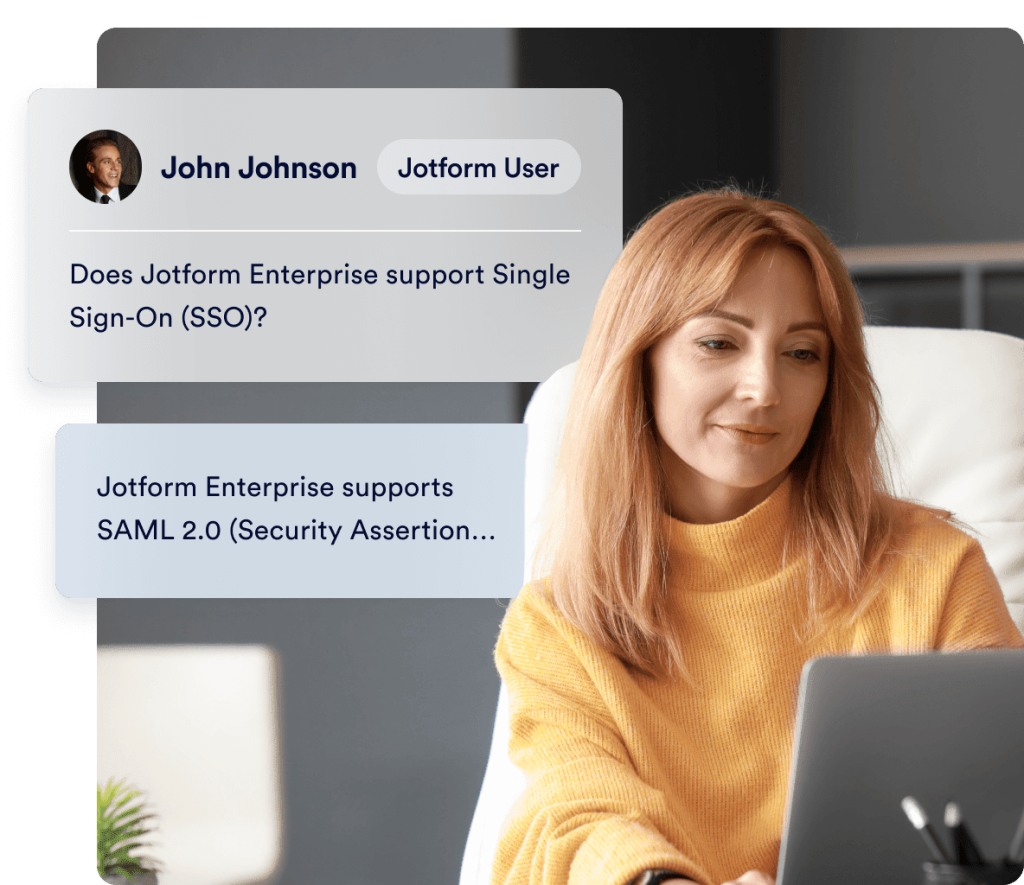
Does Jotform Enterprise support Single Sign-On (SSO)?
Yes. Jotform Enterprise supports SAML 2.0 and integrates with identity providers such as Microsoft Entra (Azure AD), Google Workspace, Okta, Duo, OneLogin, and more. You can connect a single SSO provider or enable Multi SSO to authenticate users across multiple identity providers at the same time.
With optional SSO enabled, users and administrators can sign in to Jotform Enterprise using their existing organizational credentials — improving security and eliminating the need to manage separate passwords. Internal-facing forms can also be SSO-protected, ensuring that only verified members of your organization can view and submit them.
For automated user management, Jotform Enterprise offers both JIT (Just-In-Time) provisioning, and SCIM provisioning to automatically create, update, and deactivate users and groups directly from your identity provider.
More information on SSO for Forms can be found in this guide.
If you have other directory service solutions, contact the Jotform Enterprise team to see how we can assist. For additional information, please review our SSO information page.
Is the Jotform Enterprise API one way or two way?
The Jotform Enterprise API supports two-way data communication. If you need additional information, please review our API documentation.
Security
Where will my data be hosted?
Your local Jotform data residency center will be hosted by Google Cloud Platform, our preferred hosting partner. We work with other hosting partners as well, such as Amazon Web Services (AWS) on an as-needed basis.
Can I have data residency in Australia/Canada/US/UK/EU so that my data never leaves my country/region?
Because your data is stored in a local data residency center, we are able to meet your specific data residency needs, where your data never leaves your country. This is extremely important for customers in Australia, Canada, US, UK, EU and others. With 19 data centers in 15 countries around the world, chances are we are able to meet data residency requirements in your country if needed.
Are my forms and data secure?
Ensuring the privacy and security of your form submission data is a top priority at Jotform. Jotform Enterprise takes every precaution to provide an online form service with high grade security — including 256-bit encryption, SOC 2 Compliance, and, if required, HIPAA solutions for healthcare related needs. For more information, visit Jotform’s security page.
What is the difference in encryption between HIPAA enterprise server and non-HIPAA enterprise server?
Data is encrypted at rest by default at an Enterprise Server:
- Enterprise solution is completely isolated from the Jotform Enterprise environment, so nothing is shared with other users.
- All data (user's forms/submissions etc.) is automatically encrypted at rest while being written to the physical disks.
- Each encryption key is also encrypted with master keys managed by Google Cloud Platform (our hosting partner).
Encryption at rest database, available on HIPAA, is one level above that:
- Our servers get the raw data, and while writing it to the database, Jotform encrypts it with AES256 (every individual submission has a unique key) and every individual AES265 key is also encrypted with the user's public key (RSA2048). Keys are seamless to users and completely managed by Jotform.
In short, the regular enterprise setup provides disk encryption, whereas HIPAA adds database encryption over it.
Compliances
Is Jotform Enterprise HIPAA enabled?
Jotform Enterprise offers HIPAA compliance features to help you keep health information safe and secure. Learn more.
If I already have a Jotform Enterprise account, and upgrade to HIPAA features, what happens to my existing form submission data?
Your Jotform Enterprise account will operate in the same manner. Existing form submission data will be automatically encrypted in your local data residency center, as well as in the database.
Is there an additional cost for HIPAA compliance features?
If you are collecting Protected Health Information (PHI) and you need your server to be HIPAA enabled, please contact your account manager and the Enterprise customer success team to discuss pricing and data migration options. Educational institution and nonprofit organization discounts are not available on HIPAA server costs.
What is the difference in encryption between HIPAA enterprise server and non-HIPAA enterprise server?
Ensuring the privacy and security of your form submission data is a top priority at Jotform. Jotform Enterprise takes every precaution to provide an online form service with industry-leading security, including 256-bit encryption, SOC 2 compliance solutions, and HIPAA compliance for healthcare-related needs. For more information, visit Jotform’s security page.
Why is there an additional cost for HIPAA features?
HIPAA features require additional CPU utilization on the servers due to the added encryption at rest at the database level. Our hosting providers charge on a CPU utilization basis, so there is an added cost to Jotform for HIPAA enablement. Learn more about why Jotform Enterprise is a great solution for Healthcare.
How do HIPAA solutions differ from other forms of encryption? Is encryption available without HIPAA solutions?
If you have an enterprise server, your forms and submissions are automatically encrypted at rest at the physical disk level.
HIPAA solutions take security one step further by providing additional database encryption with unique AES256 keys for every individual submission.
If I’m collecting protected health information (PHI), do I need HIPAA compliance features?
U.S. law requires organizations that collect and store PHI to follow HIPAA-enabled methods, so if you collect PHI, and you’re located in the U.S., you do need HIPAA compliance features. However, some Jotform Enterprise customers who aren’t located in the U.S. also opt for HIPAA enablement as an additional level of security.
I already have a Gold HIPAA account. Do I need Jotform Enterprise?
Your Gold account is a single user account, which means one person can create forms, collect data, and access data.
HIPAA regulations dictate that every single access to PHI (Protected Health Information) needs to be traceable to a unique individual with their own identifiable login credentials.
Sharing login credentials is a significant HIPAA violation and can lead to legal issues.
Even if only one person creates forms in your account, if multiple individuals access the collected PHI, you will need Jotform Enterprise, which is the only platform that supports multiple users.

Get hands-on help from our team

Our dedicated team ensures a seamless implementation tailored to your organization’s needs. Get expert guidance every step of the way, from form creation to workflow optimization. Prepare your team for success with Jotform Enterprise Professional Services.